

Understanding Common Cyber Threats: Malware, Phishing, Ransomware, and More
Navigating the Digital Minefield: A Beginner's Guide to Recognizing and Protecting Against Common Cyber Attacks 🛡️🌐

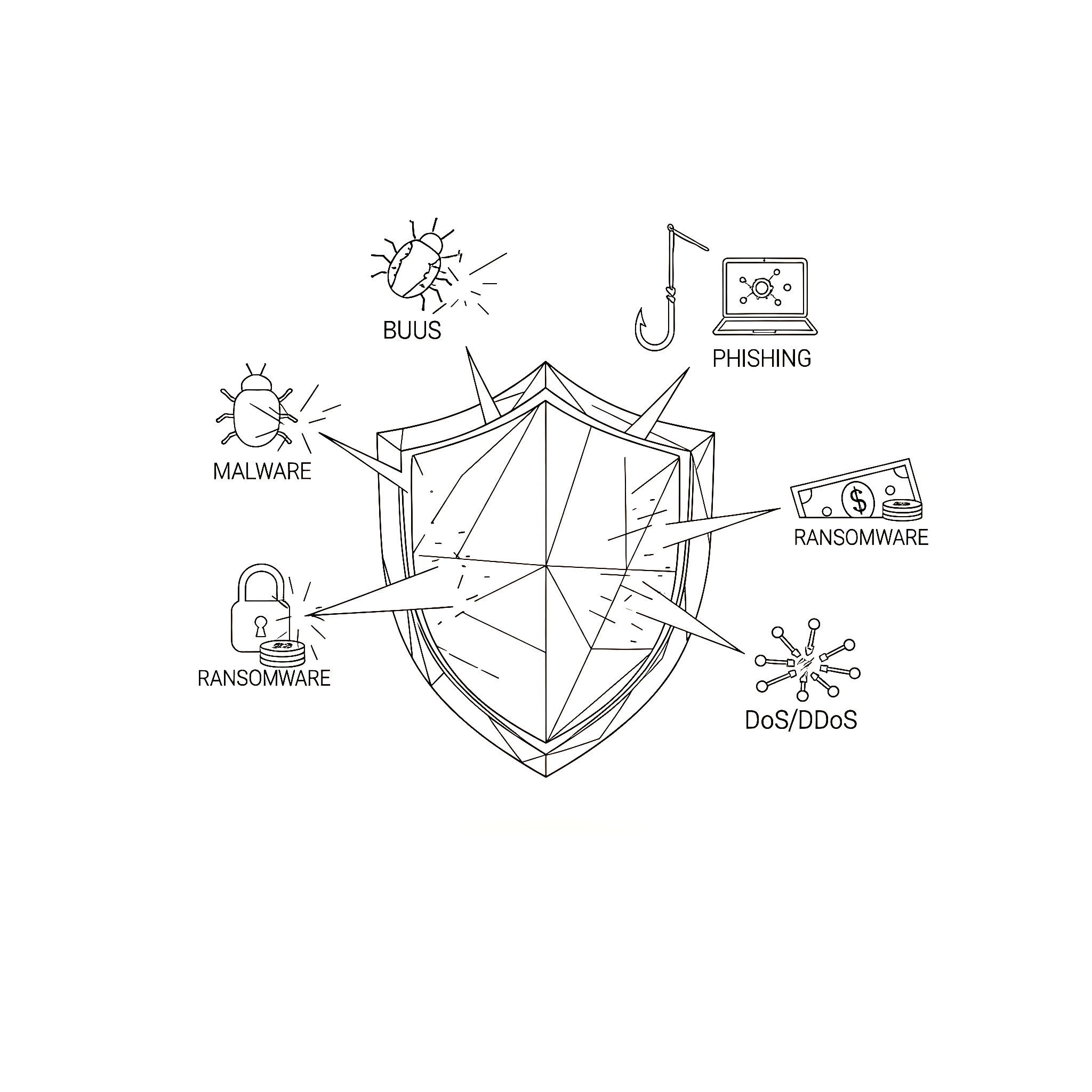
In our increasingly interconnected world, cyber threats are no longer distant news headlines; they are a constant, evolving reality that impacts individuals and organizations alike. From personal data breaches to large-scale system shutdowns, the digital landscape is fraught with malicious actors seeking to exploit vulnerabilities for financial gain, disruption, or espionage. Understanding the nature of these threats is the crucial first step in building effective defenses. Without knowing what you're up against, it's impossible to adequately protect your digital life and assets.
For many, the terminology surrounding cyberattacks can seem intimidating and complex. However, recognizing the most common types of cyber threats doesn't require a cybersecurity degree. It simply requires a basic understanding of how these attacks work and what warning signs to look for. This knowledge empowers you to make informed decisions, adopt safer online habits, and become a more resilient digital citizen. Neglecting this fundamental understanding leaves you vulnerable to potentially devastating consequences, including financial loss, identity theft, reputational damage, and operational disruption. At Functioning Media, we believe that knowledge is the ultimate defense. This guide will provide a clear, beginner-friendly explanation of the most common cyber threats, helping you to identify them and take proactive steps to safeguard your digital world.
Why Understanding Cyber Threats is Essential for Everyone 🤔
Awareness is your first line of defense:
Personal Protection: Helps you avoid identity theft, financial fraud, and data loss.
Business Security: Equips employees to recognize and report threats, protecting company assets and reputation.
Informed Decision-Making: Enables you to choose secure online services and adopt safer digital practices.
Reduces Vulnerability: By understanding attack vectors, you can minimize opportunities for cybercriminals.
Promotes Digital Literacy: Fosters a safer online environment for everyone.
Saves Money & Time: Prevents costly recovery from cyber incidents.
Common Cyber Threats Explained 😈
Let's break down the most prevalent types of cyberattacks you're likely to encounter:
I. Malware (Malicious Software) 👾
What it is: A blanket term for any software intentionally designed to cause damage to a computer, server, client, or computer network, or to gain unauthorized access to data.
How it Works: Malware typically infiltrates a system through malicious links, infected attachments, compromised websites, or pirated software. Once inside, it performs actions defined by the attacker, often without the user's knowledge.
Common Types:
Viruses: Attach themselves to legitimate programs and spread when those programs are executed, often damaging files or disrupting system operation.
Worms: Self-replicating malware that spreads across networks (e.g., via email, network vulnerabilities) without human interaction, often consuming bandwidth or slowing systems.
Trojan Horses: Disguise themselves as legitimate or useful software (e.g., a free game, a software update) to trick users into installing them. Once installed, they provide backdoor access to the attacker.
Spyware: Secretly monitors user activity, collects personal information (passwords, Browse history, credit card details), and sends it to the attacker. Often bundled with legitimate software.
Adware: Automatically delivers unwanted advertisements (pop-ups, banners) to users. While often annoying, some forms can be malicious, collecting data or redirecting users to dangerous sites.
Rootkits: Stealthy types of malware designed to hide their presence and allow unauthorized access to a computer, often by modifying operating system files.
Signs of Infection: Slow computer performance, frequent crashes, unexpected pop-ups, changed browser homepage, unusual network activity, missing or encrypted files.
Protection: Reputable antivirus/anti-malware software, keeping all software and operating systems updated, being cautious about downloads from untrusted sources, and regularly scanning your system.
II. Phishing & Social Engineering 🎣
What it is: Cybersecurity attacks that manipulate people into performing actions or divulging confidential information, often by impersonating a trustworthy entity. Phishing is the most common form.
Phishing:
How it Works: Attackers send fraudulent communications (usually emails, but also texts/calls - "smishing" and "vishing") that appear to come from a legitimate source (e.g., bank, popular online service, government agency, a colleague). These messages aim to trick recipients into clicking malicious links, opening infected attachments, or revealing sensitive data like login credentials or credit card numbers.
Signs: Urgent or threatening language, spelling/grammar errors, generic greetings ("Dear Customer"), suspicious sender email addresses (even if the display name looks legitimate), requests for sensitive information, unusual links.
Example: An email supposedly from your bank claiming your account is suspended and asking you to click a link to "verify your details."
Social Engineering (Broader Category):
How it Works: Uses psychological manipulation to trick people into breaking normal security procedures or giving away confidential information. It exploits human trust, curiosity, fear, or greed.
Types: Pretexting (creating a fake scenario/story), Baiting (offering something desirable), Quid Pro Quo(promise of a benefit in exchange for information), Impersonation (pretending to be someone else).
Example: A caller claiming to be from "tech support" asking for remote access to your computer to fix a non-existent problem.
Protection: Skepticism and critical thinking (if it feels off, it probably is), verifying sender identity (don't reply to the email; use official contact info), never clicking suspicious links, hovering over links to see the actual URL, and reporting suspicious communications.
III. Ransomware 🔒💸
What it is: A type of malware that encrypts a victim's files or locks their computer system and demands a ransom payment (typically in cryptocurrency) in exchange for restoring access.
How it Works: Often spread via phishing emails, malicious downloads, or exploiting software vulnerabilities. Once activated, it quickly encrypts important files (documents, photos, databases) and displays a ransom note with instructions on how to pay.
Impact: Can cripple individuals and organizations, leading to significant financial loss and data unavailability.
Protection: Regular and verified data backups (offline and offsite!), using robust antivirus software, enabling 2FA, educating users about phishing, and patching software vulnerabilities promptly. Paying the ransom is generally discouraged as there's no guarantee of data recovery and it encourages further attacks.
IV. Denial-of-Service (DoS) & Distributed Denial-of-Service (DDoS) Attacks 🚫💻
What it is: Cyberattacks designed to make a machine or network resource unavailable to its intended users by temporarily or indefinitely disrupting services of a host connected to the Internet.
How it Works:
DoS: Floods a single target system with traffic from one source, overwhelming it.
DDoS: Uses multiple compromised computer systems (a "botnet") as sources to launch a coordinated attack against a target, making it much harder to defend against due to the distributed nature of the attack.
Impact: Websites crash, online services become inaccessible, leading to lost revenue and reputational damage.
Protection: Robust network infrastructure, traffic filtering, DDoS mitigation services, and strong firewall configurations.
V. Man-in-the-Middle (MitM) Attacks 👥↔️👥
What it is: An attacker secretly intercepts and relays communications between two parties who believe they are communicating directly with each other. The attacker can then eavesdrop on, or even alter, the conversation.
How it Works: Often occurs on unsecured networks (like public Wi-Fi). The attacker positions themselves between the two communicating parties, making it seem like they are directly connected. They might capture sensitive data like login credentials or credit card numbers.
Example: An attacker sets up a fake Wi-Fi hotspot in a cafe. When you connect, all your internet traffic passes through their system.
Protection: Always use HTTPS (look for the padlock icon in your browser), be cautious on public Wi-Fi, use a Virtual Private Network (VPN) to encrypt your internet traffic, and ensure your router has strong encryption (WPA2/WPA3).
VI. SQL Injection (for Websites/Databases) 💾💉
What it is: A web security vulnerability that allows an attacker to interfere with the queries that an application makes to its database.
How it Works: Attackers insert malicious SQL (Structured Query Language) code into input fields (like login forms or search bars) on a website. If the website's backend code doesn't properly validate inputs, the malicious code can be executed by the database, allowing the attacker to bypass authentication, retrieve, modify, or even delete data.
Impact: Data breaches, unauthorized access to sensitive information, website defacement.
Protection (Primarily for Developers/Website Owners): Robust input validation, using parameterized queries or Prepared Statements, and applying the principle of least privilege to database access.
Your Role in Cybersecurity: Be Proactive! 🛡️
Understanding these common threats is the first and most critical step. Combine this knowledge with fundamental cybersecurity practices – like using strong, unique passwords, enabling two-factor authentication, keeping software updated, backing up your data, and being wary of suspicious messages – and you significantly reduce your vulnerability. Cybersecurity is a shared responsibility, and every informed individual contributes to a safer digital ecosystem.
Want to strengthen your digital defenses and learn more about protecting yourself from evolving cyber threats? Visit FunctioningMedia.com for expert cybersecurity consulting and awareness training that empowers individuals and businesses to navigate the digital world securely. Let's build a safer online future together!
#Cybersecurity #CyberThreats #Malware #Phishing #Ransomware #DDoS #SocialEngineering #OnlineSafety #DigitalSecurity #BeginnerGuide #FunctioningMedia